


Ovia Cycle & Pregnancy Tracker
4.513.77K Reviews
App Specs
- Version
- 8.8.0
- Updated On
- License
- Free
- Downloads
- 1,000,000+
- Developer
- Ovia Health
- Categories
- Medical
- Platform
- Android
Screenshots
 Analysis by AppCompare
I approached Ovia Cycle & Pregnancy Tracker as a practical health companion rather than a replacement for medical care. Developed by Ovia Health, this free medical app brings cycle tracking, ovulation and fertility planning, pregnancy, postpartum recovery, menopause, and broader women’s health into one place. That wide scope is its main appeal, but it also means the experience depends heavily on choosing the right path and entering information consistently.
My overall impression is that it works best when I treat it as an ongoing record, not a one-tap answer machine. The more carefully I log relevant changes, the more useful the calendar and guidance become. If I only open it occasionally, its value is much more limited. That is an important distinction for anyone comparing it with a simpler period calendar.
How Ovia Cycle & Pregnancy Tracker feels in everyday use
I find the app’s broad health scope useful, but it also makes trust and comfort part of the decision, not an afterthought. Before building a detailed history, I’d take a moment to review the choices and settings available on my device and decide what I’m comfortable recording. That approach leads naturally to the next question: which controls can I actually verify and use?
A quick start, followed by a more personal setup
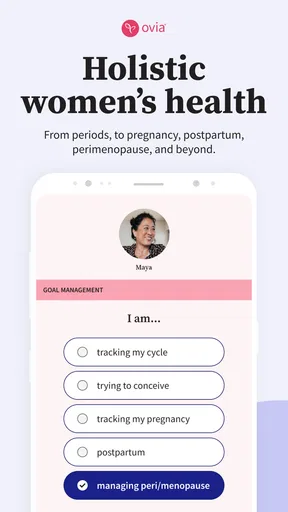
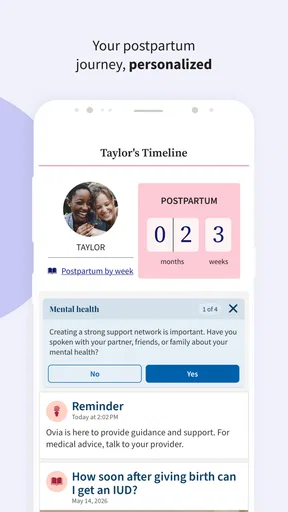
The app’s starting point is easy to understand: I choose the area that matches my current situation, such as cycle awareness, fertility, pregnancy, postpartum care, or menopause. This broad entry point makes it more adaptable than an app built only around monthly bleeding. It also creates the first small piece of friction, because a person who wants only a basic calendar may find the wider health focus more than they need.
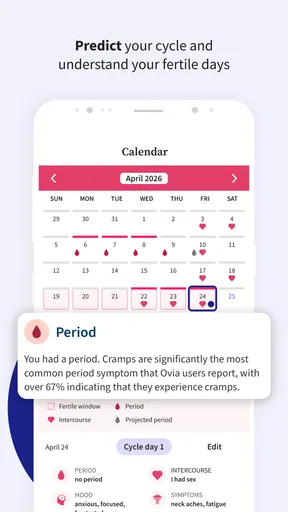
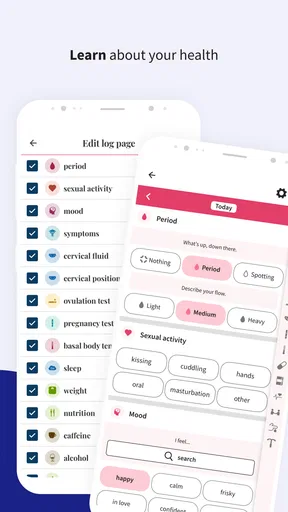
Once the relevant goal is selected, the useful work is in the details. Recording the beginning and end of a period gives the calendar a foundation, while additional entries can make patterns easier to interpret over time. I would not rush through setup just to reach the home screen. A few thoughtful choices at the beginning can make later reminders and predictions feel more relevant.
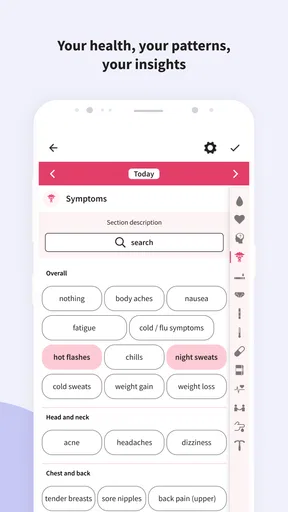
The interface is most comfortable when I use it in short visits. Logging a symptom immediately after noticing it is more realistic than trying to reconstruct an entire week from memory. This is one of the app’s quiet strengths: it encourages a regular habit without requiring a long session every time.
What speed means for this kind of app
For a tracking tool, speed is less about flashy animation and more about getting from “I noticed something” to “it is recorded” without unnecessary effort. Ovia Cycle & Pregnancy Tracker is designed around that kind of repeated interaction. I would expect the calendar and routine entries to feel more responsive when the app is used as a lightweight daily log rather than as a place to browse every available health topic at once.
Worth Reading Before You Choose

Flipboard Shows What News Apps Must Do Beyond the Feed

Switching to Android Auto Means Rethinking Your Driving Routine

Google Calendar Makes a Crowded Week Easier to Manage

Ludo King Makes the Most of the Minutes Between Plans

Baby Panda World Brings Quick Play to Modern Phones, but Its Game Library Feels Busy

ESPN’s Live Game View Makes Following Close Games Easier
There is also a useful trade-off between a focused period tracker and this broader app. A minimalist alternative may feel faster because it asks fewer questions and presents fewer areas to explore. Ovia Health’s approach is more valuable when my needs change, but the extra context can make the first few sessions feel busier.
My practical advice is to configure the app during a calm moment, then use it in small bursts. I would avoid turning every visit into a research session. The fastest workflow is to record the event that matters, review the relevant calendar information, and leave. That keeps the app from becoming another task competing for attention.
When use becomes heavier
The heavier moments are not necessarily technical ones. They happen when I move between life stages or try to use several parts of the app at the same time. Someone tracking a cycle while thinking about fertility may want more context than someone simply checking an expected date. A pregnancy or postpartum user may also return for different reasons from one day to the next, which makes organization more important than raw speed.
In those situations, I find it sensible to separate logging from reading. First I record the symptom, date, or change that I want to remember. Later, when I have more time, I explore the educational material or review patterns. Mixing both activities during a rushed morning can make the app feel more demanding than it really is.
A realistic example is a user who notices an unusual change during a workday. Instead of trying to interpret it immediately, she can make a brief entry, return to the calendar later, and bring the record to a clinician if the issue continues. That workflow keeps the app in its proper role: an organized memory aid, not a diagnosis.
Reliability depends on the quality of the record
The most important reliability issue is not whether a prediction looks precise on one screen. It is whether the underlying history is complete enough to support a useful view. Missed entries, irregular cycles, changing routines, and major life events can all affect how confidently I should read a forecast. I would treat any date as an estimate rather than a guarantee.
This matters especially for fertility-related decisions. A calendar can help me notice timing and patterns, but it should not be the only method used for contraception or for making medical decisions. If a health concern is urgent, painful, persistent, or worrying, the sensible next step is professional care rather than repeatedly refreshing the app.
The app’s broad coverage is helpful for continuity. I do not have to abandon the same general tracking habit simply because my needs move from cycle awareness to pregnancy or later to postpartum or menopause support. Still, continuity does not mean every section will be equally relevant to every person. I would keep only the information that serves my current goal and avoid filling the log with details I will never review.
How to make the records more useful
One non-obvious advantage of a health tracker is that it can improve the quality of a conversation with a doctor, even when the app itself cannot explain the cause of a symptom. Instead of saying “this happens sometimes,” I can review dates, duration, and accompanying changes before an appointment. That gives the discussion a clearer starting point.
I also recommend using consistent wording for recurring symptoms. If I describe the same experience differently every time, the history becomes harder to scan. A simple personal routine—log the date, choose the closest symptom description, and add a short note only when something is unusual—keeps the record manageable.
Another useful trade-off is privacy versus convenience. A detailed record can be more informative, but it also contains more sensitive health information. I would think carefully about what I choose to enter, especially if other people can access the device. The app is most helpful when the user is comfortable maintaining the record over time, not when she feels pressured to document every private detail.
Stability during ordinary use
For my expectations, stability matters more than advanced visual polish. A tracker should open reliably when I need to record something, preserve the history I have built, and avoid making routine logging feel fragile. Ovia Health has had this app available since January 14, 2015, and the current version is 8.8.0. That long-running presence makes it feel like an established product rather than a short-lived experiment.
At the same time, an established app can evolve into a larger experience than its original purpose. Updates may bring improvements, but they can also change where familiar actions are located. If I depend on a particular logging routine, I would take a moment after an update to confirm that the screens and settings still behave as expected.
I would also keep the operating-system requirement in mind. The app requires iOS or Android 10 or later, so an older device may not be suitable even if it still handles simple calendar apps comfortably. This is a meaningful constraint for users who keep phones for many years or use a secondary device for health tracking.
Resource demands and older devices
I would not choose this app specifically for an extremely limited phone. Its combination of tracking areas, calendars, and health content suggests a fuller experience than a bare-bones period log. On a reasonably modern device, that should be a sensible match for the app’s purpose. On an older phone that already struggles with storage, memory, or system updates, a simpler alternative may be less frustrating.
There is a practical way to reduce the feeling of resource demand: use the app for its core task instead of leaving it open while browsing every section. Record what matters, review the calendar, and close it when finished. That is also better for attention, because health information can become overwhelming when consumed without a clear question in mind.
I would not judge performance solely by how quickly the first screen appears. A more important test is whether I can complete a common action repeatedly without losing confidence in the record. If logging feels dependable during a busy week, the app is doing its job. If I find myself avoiding it because every visit feels crowded, a more focused tracker may suit me better.
Who will get the most from it
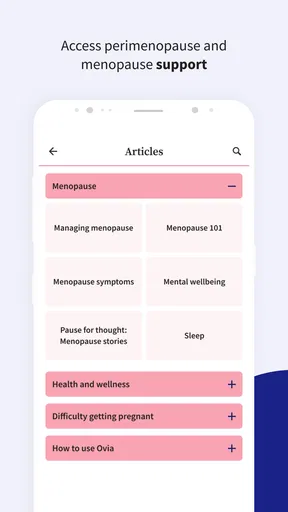
This app is a strong fit for someone who wants one women’s health tool that can adapt as her circumstances change. It is particularly appealing if I want cycle and fertility tracking now but may later need pregnancy or postpartum organization. The same is true for users exploring menopause-related tracking who prefer not to maintain separate apps for separate stages.
It can also suit someone who wants more than a predicted period date. The broader medical focus gives me room to keep a fuller personal record and prepare better questions for a healthcare professional. That does not make the app a clinical instrument, but it can make everyday observations easier to organize.
I would skip it if my only requirement is an almost empty calendar with minimal interaction. I would also choose another option if I need a tool designed around a highly specific medical condition, formal clinical monitoring, or a method that must be used under professional supervision. Ovia Cycle & Pregnancy Tracker is broad and practical; that is different from being specialized.
How it compares with simpler alternatives
Compared with a basic period calendar, Ovia Cycle & Pregnancy Tracker offers a wider path through women’s health. The advantage is continuity and context. The disadvantage is that the app may feel less instantly focused when all I want is to mark a date and leave.
Compared with a pregnancy-only tracker, its broader life-stage coverage is more flexible, but a dedicated pregnancy product may feel more concentrated for someone who wants pregnancy information and nothing else. Likewise, a fertility-focused solution may be preferable for users who require a narrowly defined workflow and are prepared to follow it carefully.
My choice would depend on the question I am trying to answer. If that question is “How can I keep a useful health history across changing needs?” this app makes sense. If it is “What is the simplest possible way to mark my period?” I would look for something less expansive.
Value, age suitability, and everyday accessibility
The app is free, which makes trying it relatively easy for someone who wants to see whether a broader tracker fits her routine before committing to it. It is rated for Everyone, so its general accessibility is wide, although the subject matter still calls for mature, personal judgment and appropriate medical guidance.
Its audience is reflected in its reach: it has passed one million installs, with an average rating of 4.5 from around eighty-two thousand ratings and roughly fourteen thousand written reviews. Those figures suggest that the app has attracted a substantial user base, but they do not remove the need to decide whether its style matches my own habits.
I would pay more attention to the workflow than to popularity. A highly used app can still be the wrong choice if I dislike its level of detail, while a free app is not truly convenient if I stop entering information after a week. The best test is whether I can imagine using it during ordinary, messy days rather than only during setup.
My performance verdict
Ovia Cycle & Pregnancy Tracker feels best as a steady, adaptable record keeper. Its perceived speed should be strongest during short logging sessions, while heavier browsing becomes more appropriate when I have time to review health information carefully. The broad design gives it more long-term usefulness than a simple period calendar, but also introduces more choices and a little more mental load.
For reliability, I would trust it to help organize observations, not to deliver certainty. Good records improve its usefulness; irregular logging limits it. For device compatibility, the requirement for Android or iOS 10 and later means older phones deserve extra attention before installation. On a supported, reasonably capable device, the app is a sensible option for users who want several women’s health stages represented in one place.
My recommendation is therefore qualified but positive. I would suggest it to a friend who wants a free, broad women’s health tracker and is willing to build a consistent logging habit. I would not recommend it to someone seeking a bare-minimum calendar, a clinical monitoring system, or a substitute for professional advice. The best reason to use it is not a single prediction, but the clearer personal history it can help you build over time.
Pros
- Tracks periods
- symptoms
- fertility signs
- and pregnancy milestones in one app.
- Personalized predictions can become more useful with consistent daily logging.
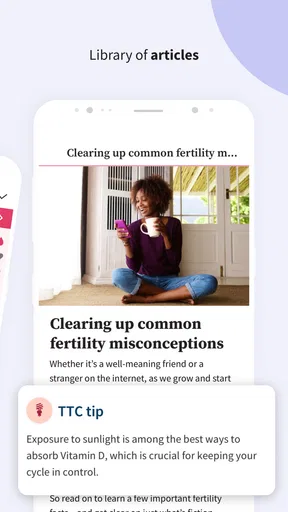
- Offers educational content for cycle health
- conception
- pregnancy
- and postpartum stages.
- Includes reminders for periods
- fertile windows
- appointments
- and health-related tasks.
- Data can be exported or shared with healthcare providers for easier discussions.
Cons
- Predictions may be inaccurate for irregular cycles or changing hormonal patterns.
- Many useful features and insights require a premium subscription.
- The amount of health content can feel overwhelming for first-time users.
- Some users may have privacy concerns when entering sensitive reproductive information.
- It should not replace professional medical advice or reliable contraception methods.
FAQs for Ovia Cycle & Pregnancy Tracker
What is Ovia Cycle & Pregnancy Tracker used for?
Ovia Cycle & Pregnancy Tracker is designed to help users monitor menstrual cycles, ovulation, fertile windows, symptoms, moods, and other reproductive-health information. It can also provide pregnancy-related tracking features, depending on the mode selected in the app. After entering personal details and cycle history, the app presents predictions, educational content, and reminders intended to support planning and general awareness.
How accurate are Ovia’s period and ovulation predictions?
The app’s predictions are estimates based on the information you enter, such as period dates, cycle length, symptoms, and ovulation-related observations. They may become more personalized as you log data consistently, but they are not guaranteed to be exact because cycles can change due to stress, illness, medication, travel, hormonal conditions, or other factors. Ovia should not replace professional medical advice or clinically validated contraception.
Can Ovia be used to get pregnant or avoid pregnancy?
Ovia can help users identify estimated fertile days and understand cycle patterns, making it useful for people tracking conception-related goals. However, fertility predictions are not a reliable standalone method of birth control, and the app should not be treated as contraception. Anyone trying to avoid pregnancy should use an appropriate, medically recommended method and speak with a qualified healthcare professional about individual circumstances.
Does Ovia Cycle & Pregnancy Tracker support pregnancy tracking?
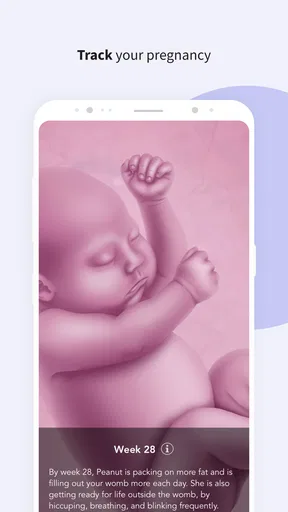
Yes, Ovia includes pregnancy-focused tools for users who switch the app to pregnancy tracking. Depending on the available version and region, these may include week-by-week information, appointment or symptom tracking, daily insights, and educational guidance. The content is intended for general support and preparation, not diagnosis. Always contact a doctor or midwife for urgent concerns, medical decisions, or personalized pregnancy care.
Is my personal health information private in Ovia?
Before using Ovia, review its current privacy policy, permissions, account settings, and any consent screens carefully, because data practices and available controls can change over time. The app may process sensitive reproductive-health information to provide tracking and personalization features. Avoid entering details you are uncomfortable sharing, use available privacy options, and check whether data sharing, advertising, research, or employer-sponsored features apply to your account and location.


